
Many people are unsure about how to use our WhatsApp service. This complete guide walks you through every single step with real screenshots, so you know exactly what to expect before you apply.
9250000247
✓ Meta Verified Account
Do NOT use any other number. This is our only official contact.
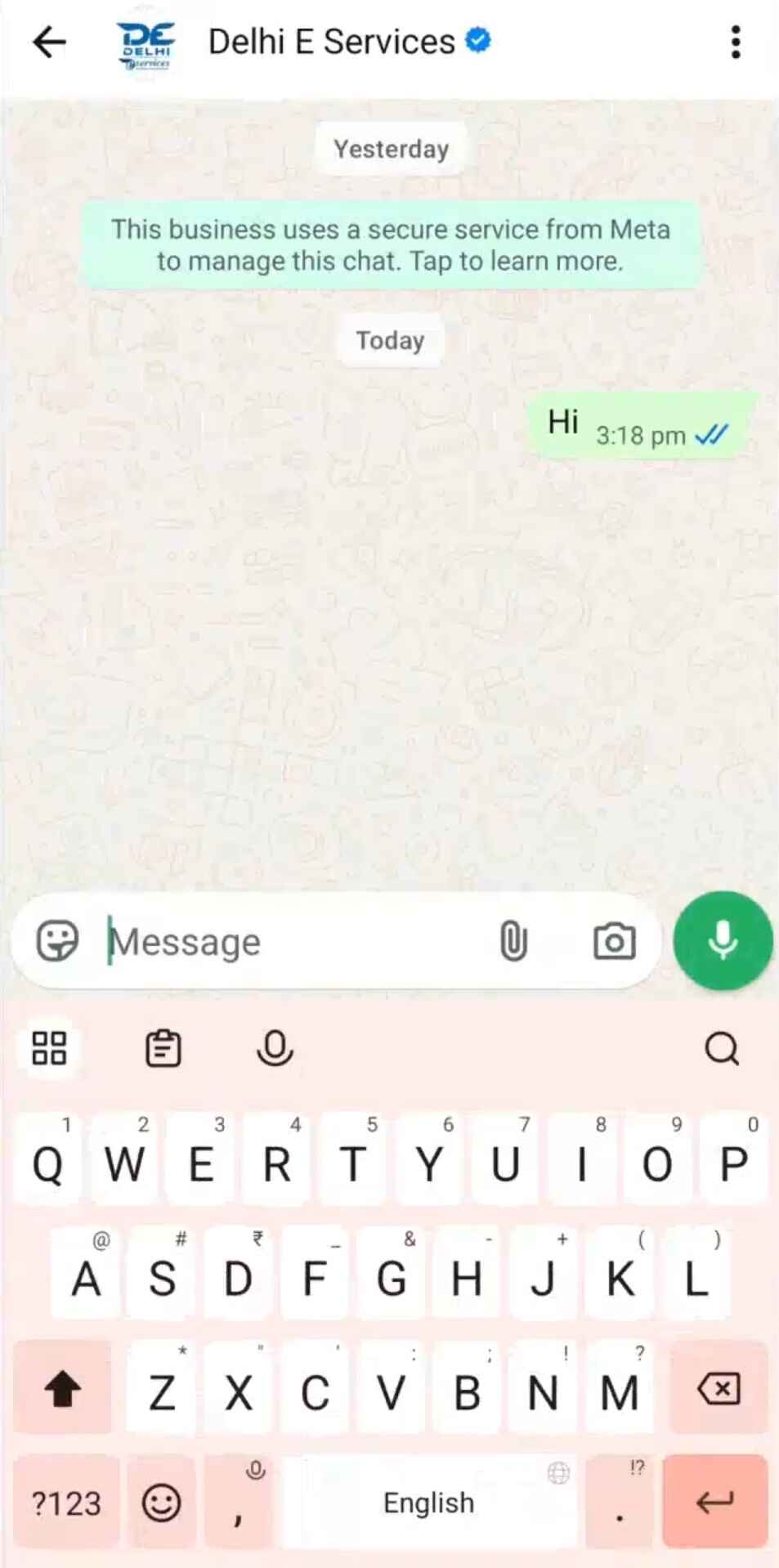
Send “Hi” to Start
Open WhatsApp and send any message like “Hi” or “Hello” to our verified number: 9250000247.
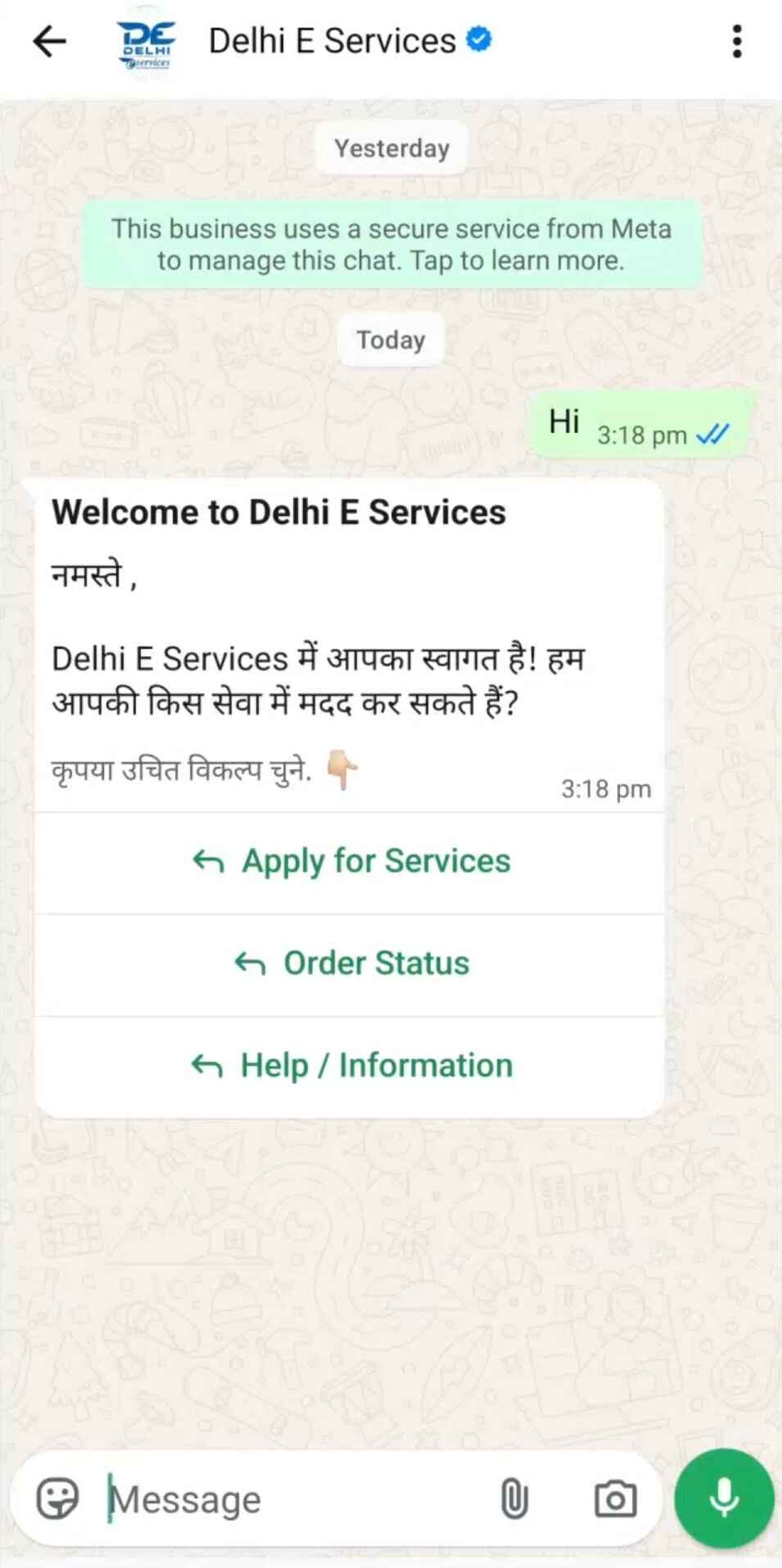
Receive Welcome Message
You will instantly receive a welcome message with three clear options:
- Apply for Service — Start a new application
- Order Status — Check an existing order
- Help / Information — Get assistance
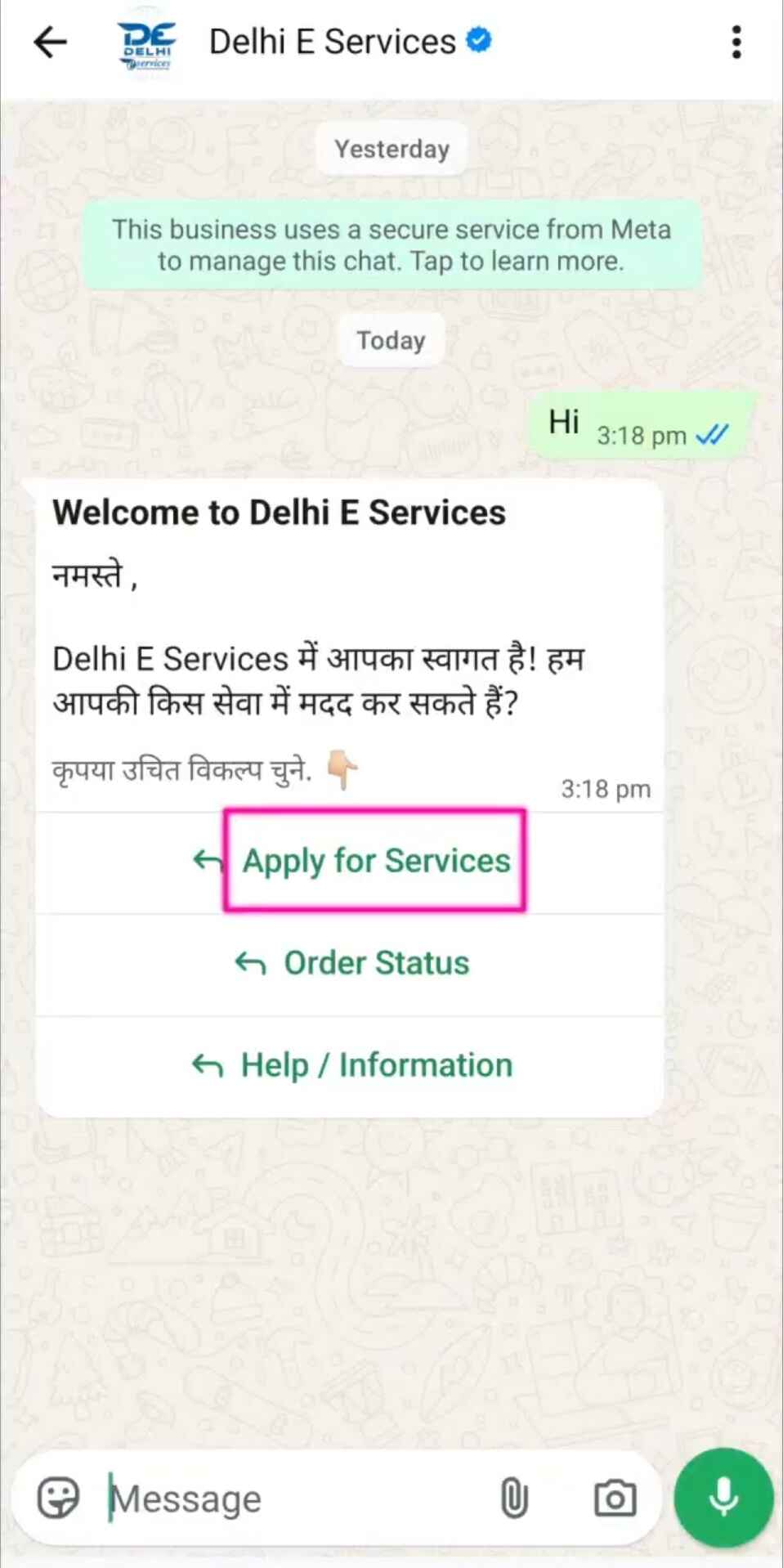
Tap “Apply for Service”
Tap the Apply for Service button to view all available services.
You will also see a “Click Here” button to view all services.
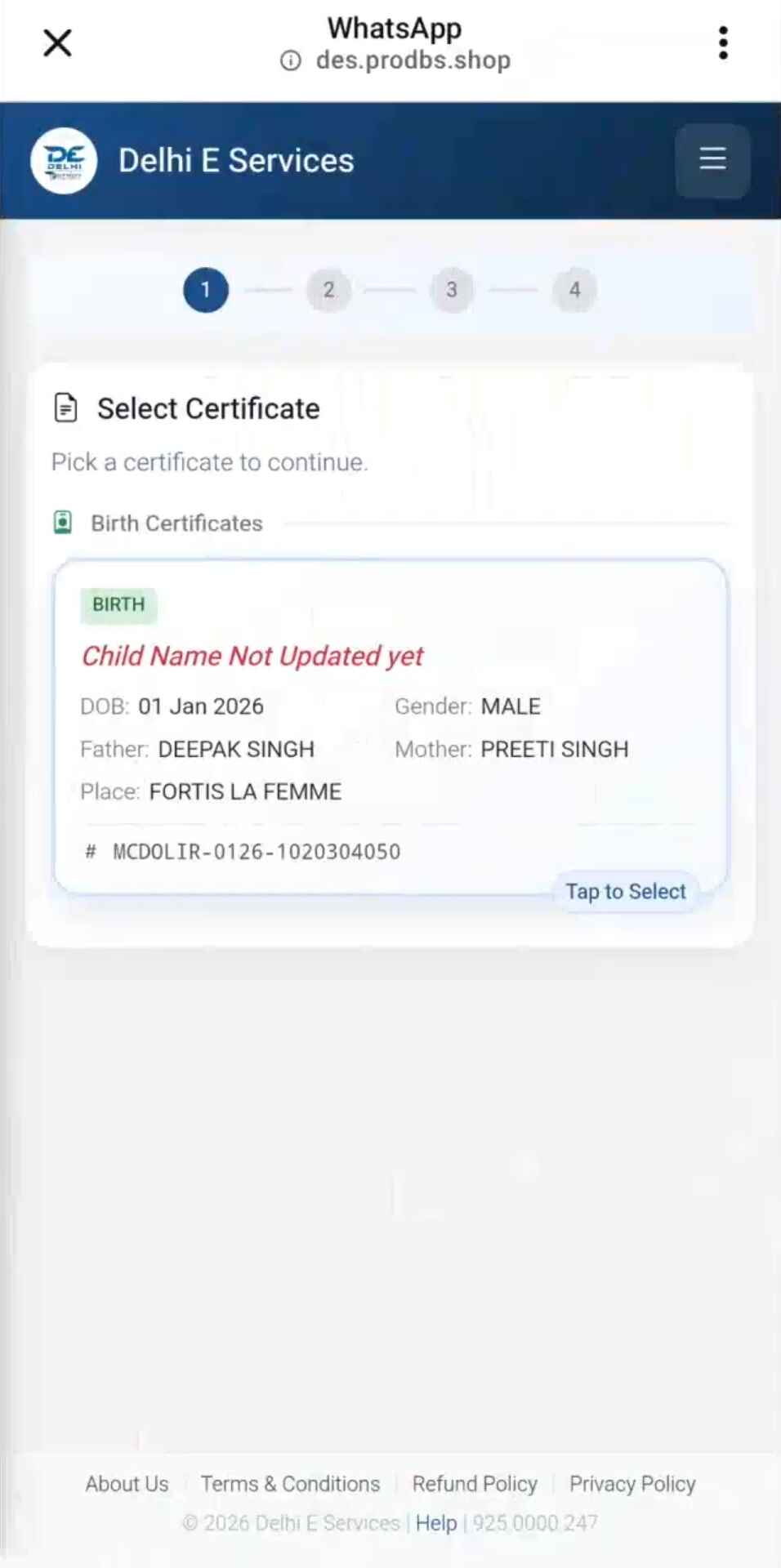
Select Your Service
After clicking “Click Here,” a full list of services will appear. Tap the service you want.
Fill Application Details
Enter the required information for your selected service:
- Service-specific details (required)
- Email ID (optional, recommended)
- Alternate mobile number (required)
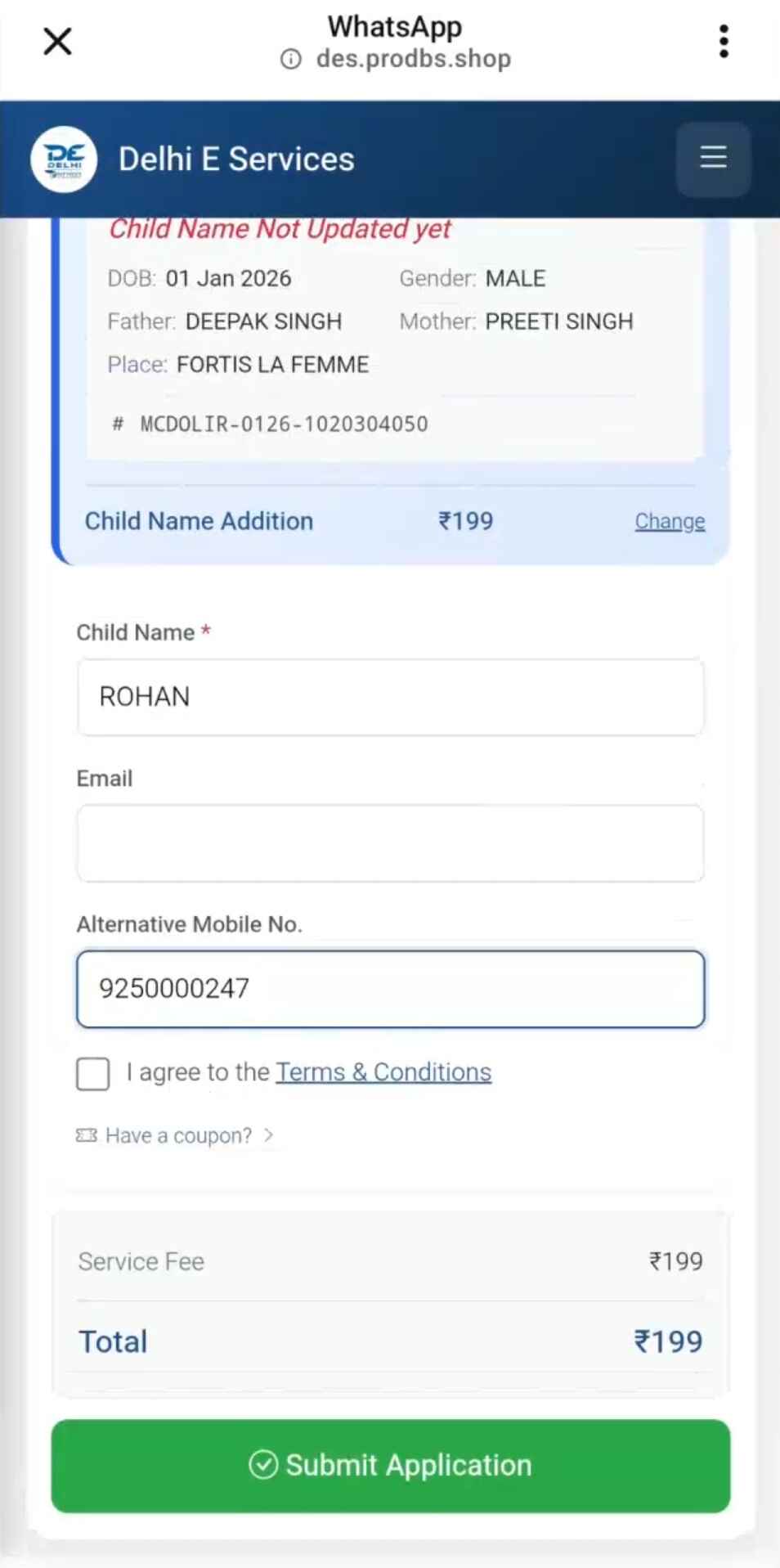
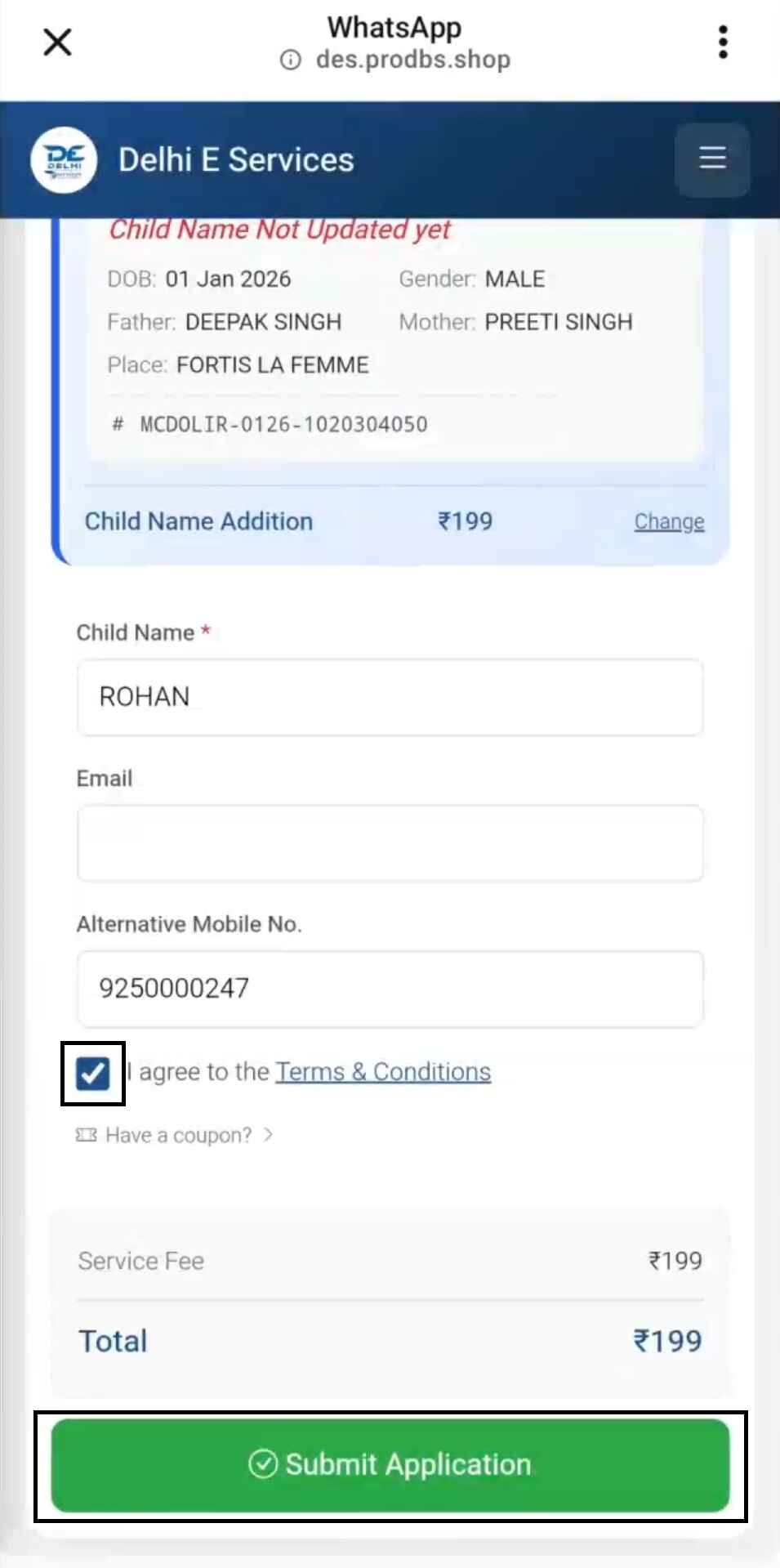
Agree to Terms & Submit
- ✓ Agree to the terms and conditions
- Apply coupon code if available (optional)
- Click Submit Application
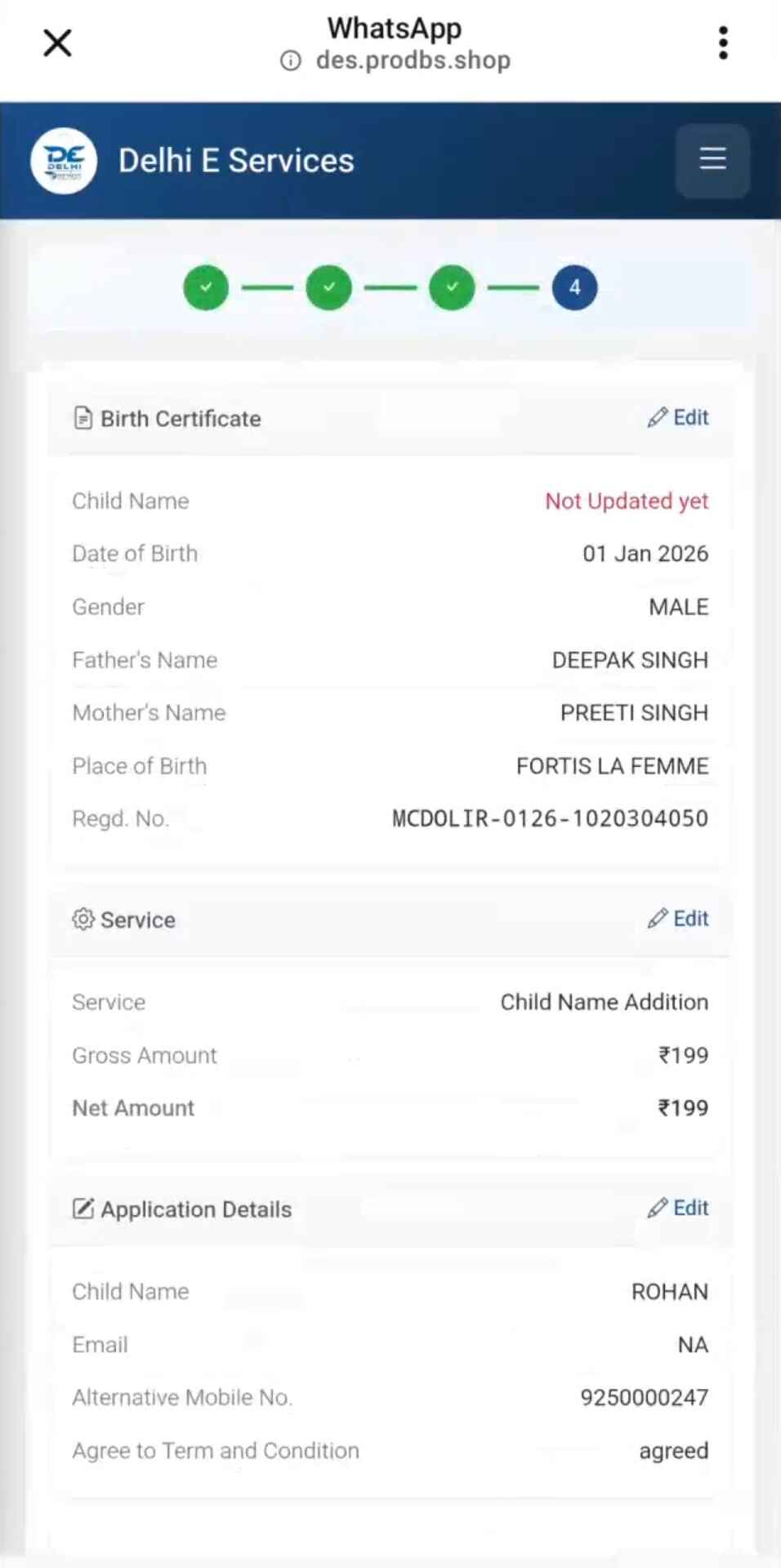
Review Application Preview
You will see a complete preview showing:
- Service name
- Entered details
- Contact information
- Total payable amount
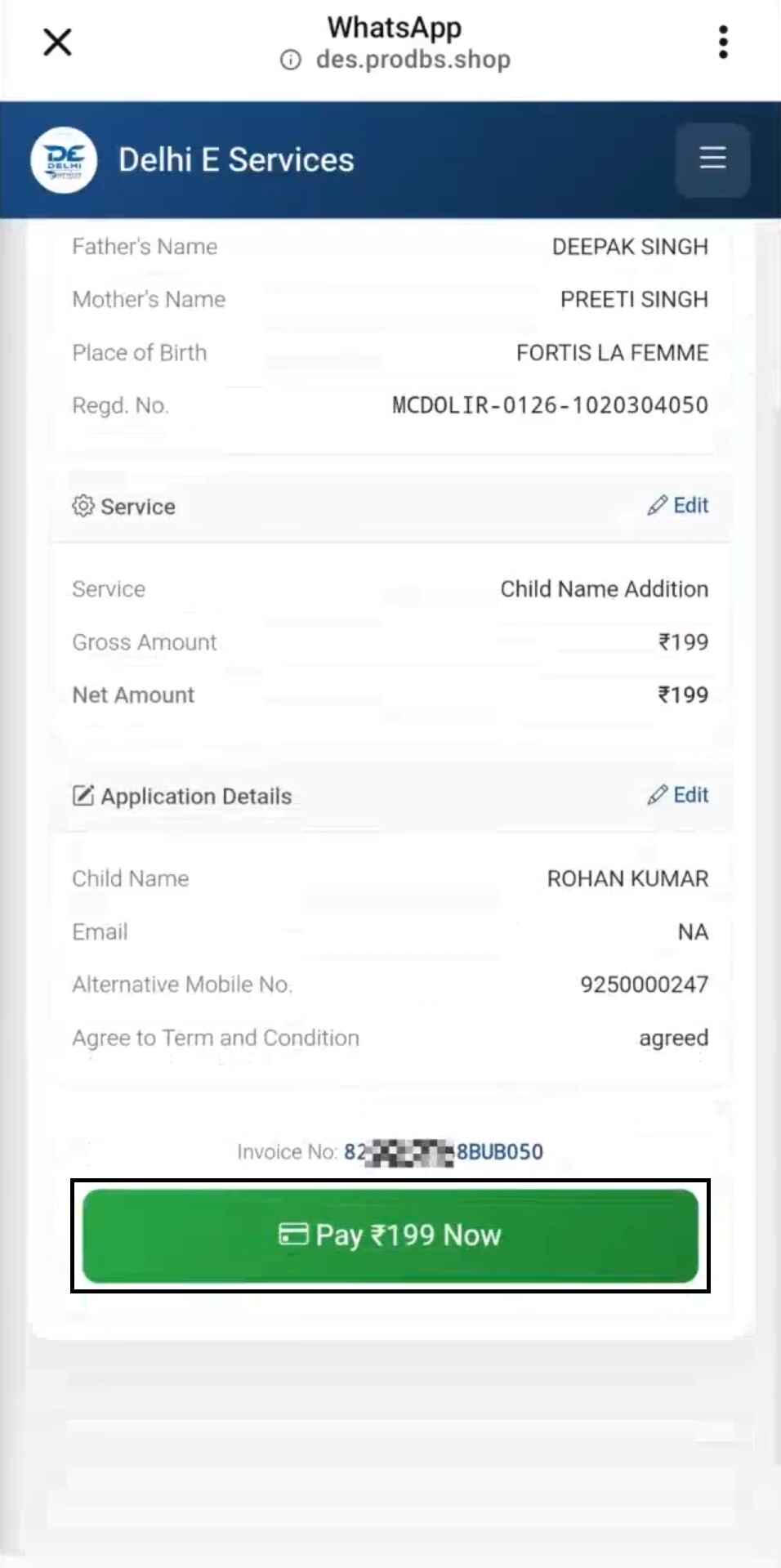
Tap “Pay Now”
After reviewing everything, tap Pay Now. A secure payment link will be sent to you instantly.
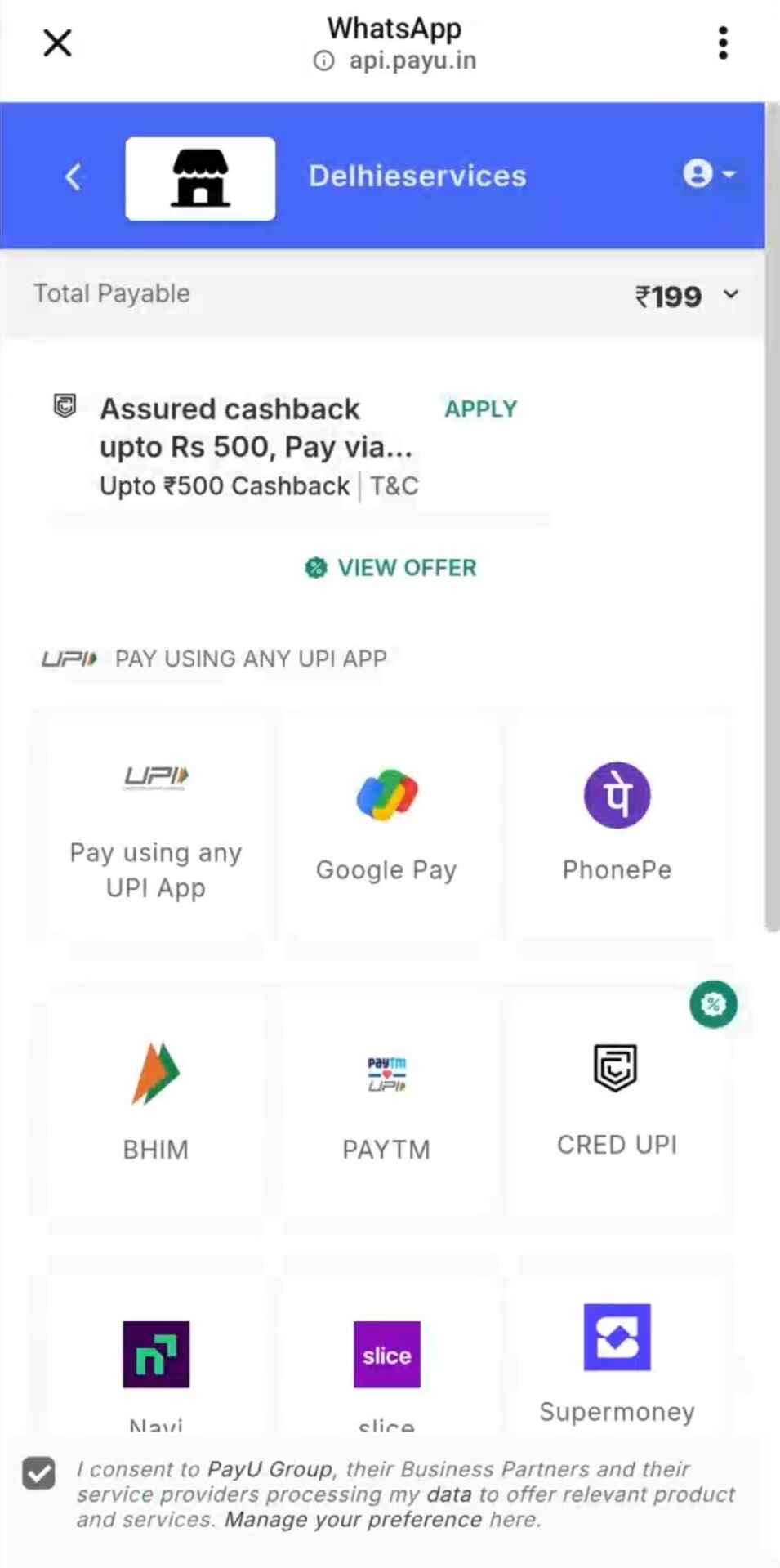
Choose Payment Method
- UPI Apps: Google Pay, PhonePe, Paytm, BHIM
- UPI ID: Pay from any device
Payment Confirmation
After payment, you receive instant confirmation on WhatsApp.
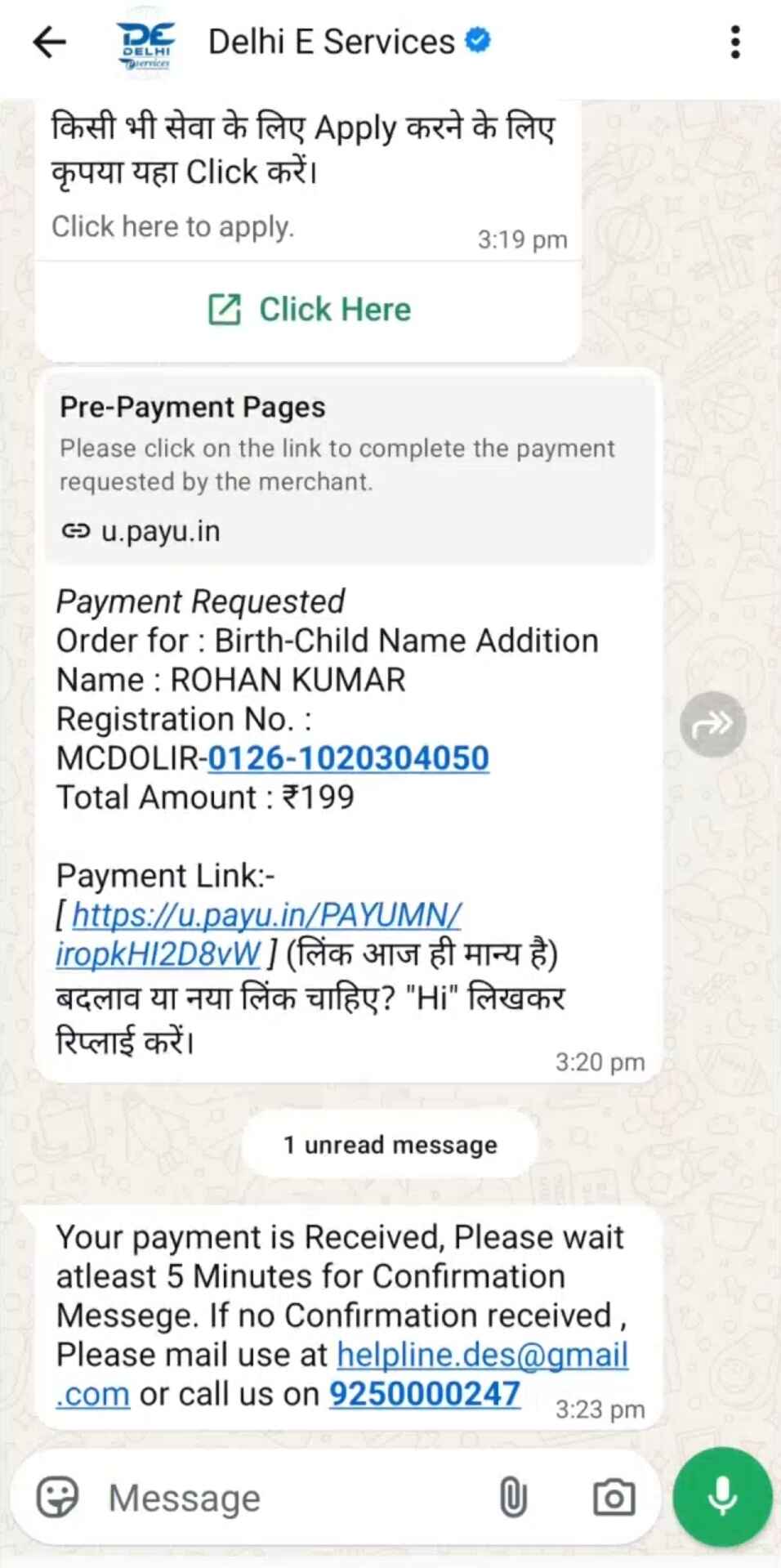
Order confirmation arrives within 5 minutes.
Order Confirmation
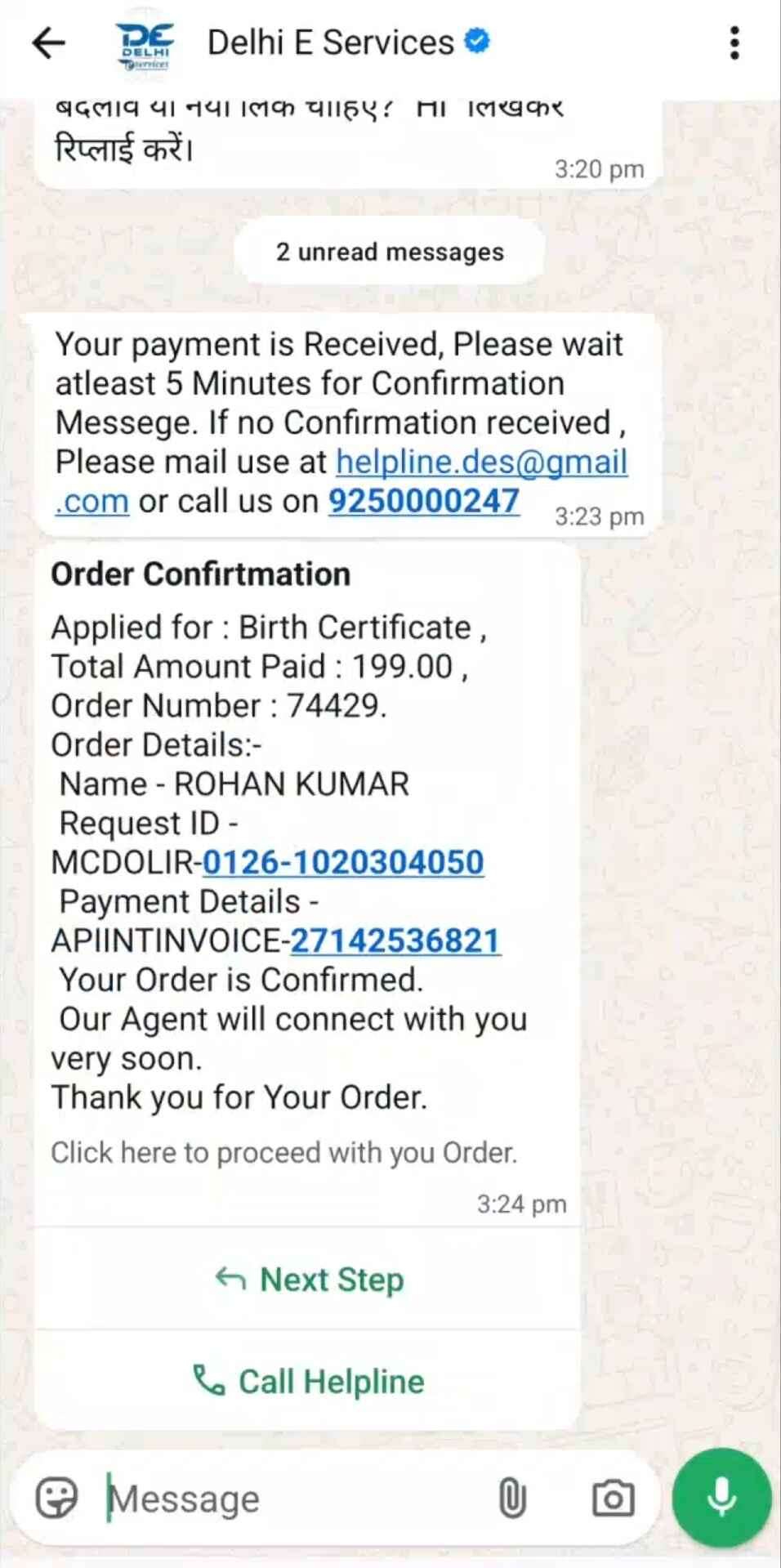
You will receive confirmation containing:
- Order number
- Service details
- Amount paid
- Next steps
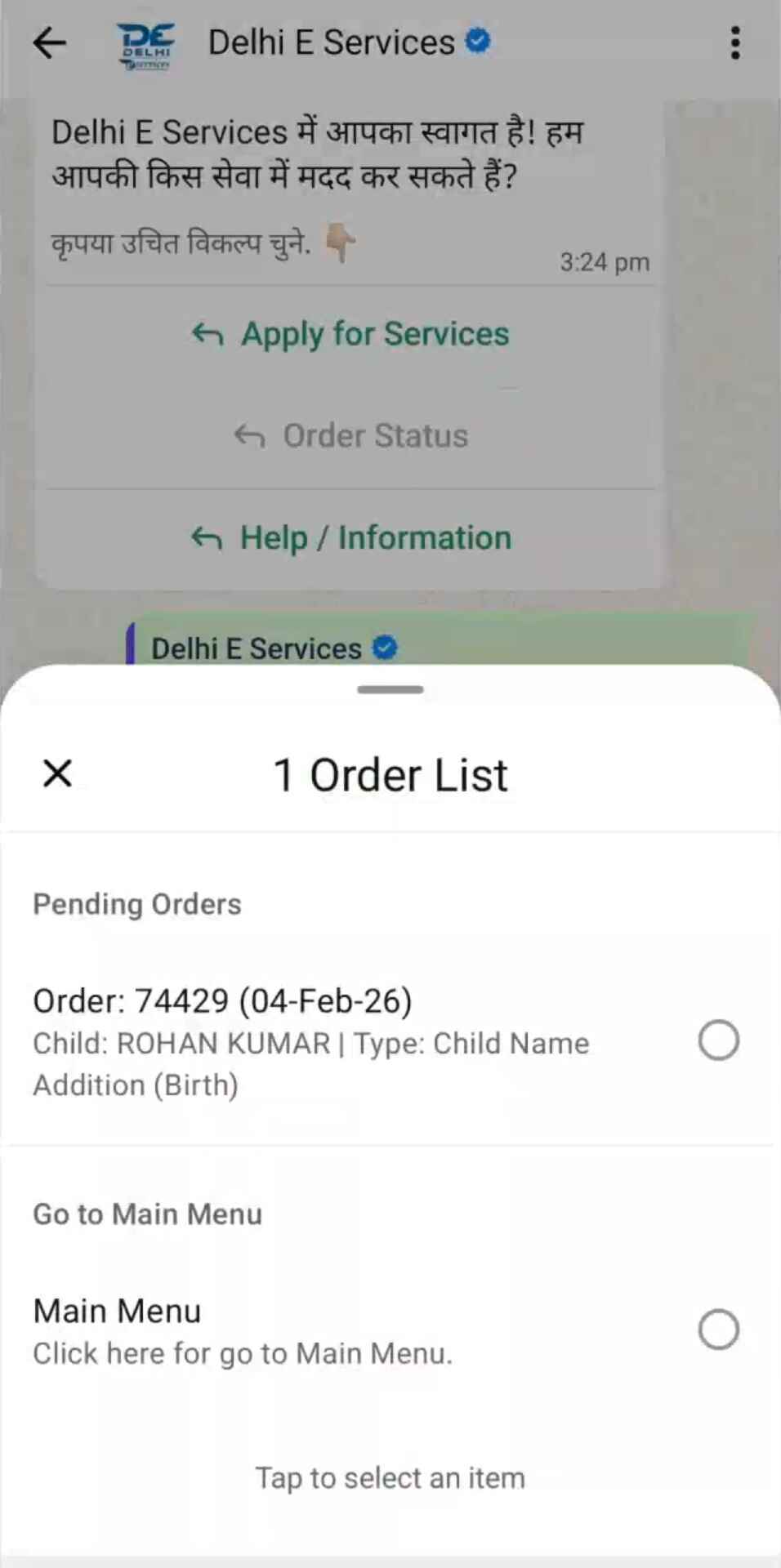
Track Order Status Anytime
- Send “Hi” again
- Tap Order Status
- Select your order
All 12 steps done! Ready to apply?
Start on WhatsApp NowStill unsure? Read Is Delhi E-Services a Scam? or contact us.